Adding Menu Items to Carts
Menu items can be more complicated than just the name of the food and a price. Many items offer diner-selectable choices that affect both the content of the order and the price. In addition, some menu items may only be offered during certain times of the day or year, or may be temporarily unavailable due to supply issues. Consider the following scenarios:
- A pizza that comes in three sizes whose toppings vary in cost for each size.
- A lunch special that includes a choice of drink and appetizer.
- A special item only available to orders over a certain cost.
The Grubhub ordering system needs to handle all of these scenarios. As a result, your interface using the Grubhub API needs to handle them, too.
This topic will cover all the details that you need to consider when a diner adds an item to their cart, as well as the interfaces that you will need to create in order to handle diner choices.
The endpoint that adds menu items to carts, POST /carts/{cart_id}/lines, uses the following pieces of information:
- restaurant_id
- menu_item_id
- quantity
- options (if a menu item doesn’t have options, this is not required)
- special_instructions (optional)
Each of these items maps to information we need to consider for a diner to add a menu item to their cart:
- Can the restaurant fulfill the order currently?
- Is the item available at this time?
- How many do they want?
- What choices will they select?
- Any special instructions for this item?
In building your interface to the Grubhub system, you’ll need to incorporate these bits of information into both the calls you make to the API as well as the GUI you present to the user.
Is the Restaurant Available?
There are two checks involved in this: is the restaurant open and does it deliver to the diner. Based on these availability checks, your interface should filter out unavailable restaurants and menu items.
Restaurant availability is specifically handled through the /restaurants/availability_summaries endpoint. This lightweight endpoint returns information about whether a restaurant is available for the current diner at the current time. Specifically, you’ll want to consider the following return values:
openavailable_for_deliveryavailable_for_pickupdelivery_offered_to_diner_locationcutoff_for_deliverycutoff_for_pickup
The available_for_pickup and available_for_delivery values are absolute; that is, they take into account both open and close hours as well as the cutoff times.
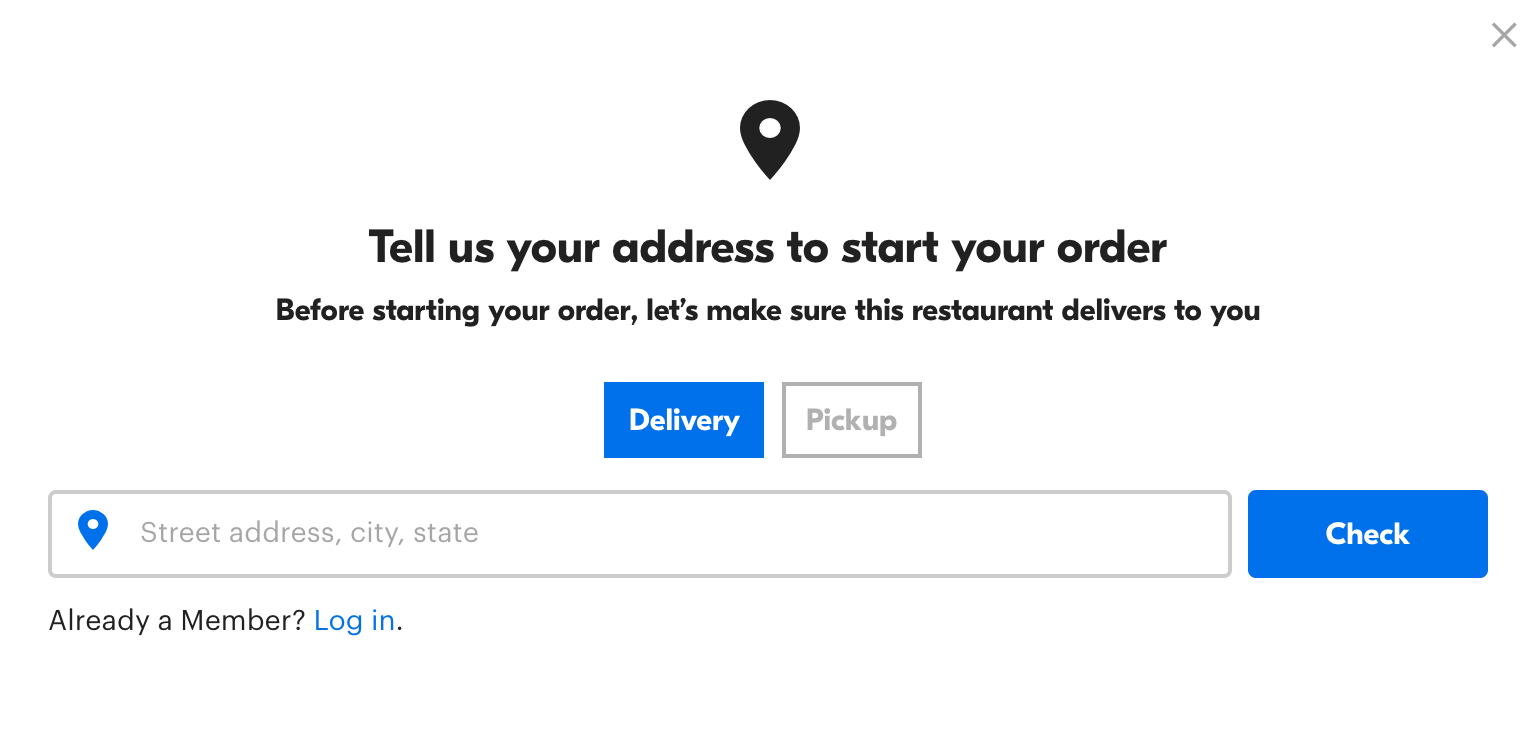
However, a restaurant may be available but not willing to deliver to a specific address. Check delivery_offered_to_diner_location to verify this. If a diner is not logged in, you may need to build a GUI element that requests an address.
Is the Menu Item Available?
For menu items, the reason that an item cannot be sold varies. It could be time based, like a breakfast item, or it could be temporarily unavailable. That information is returned as part of the menu item data from multiple restaurant endpoints.
For each of the menu items, you’ll want to check the available field and ensure that it’s set to true. You’ll also need to make sure that any menu category that you display has at least one available item in it. Otherwise, you could end up displaying a headline with an empty menu item set.
Like restaurants, you should not display unavailable menu items to diners. These items could be time-sensitive, daily specials, or temporarily removed.
How Many?
This one is a simple count interface. The quantity value, passed in the body of the /carts/{cart_id}/lines, needs to be set based on some sort of diner input.

However, some items require the diner’s cart to exceed a minimum value before they can be added. Before you can add any item, you’ll need to check the menu item to make sure the total cart value exceeds minimum_cart_total.amount.
What Choices?
Displaying choices and the accompanying price changes can be complex, depending on the item. That’s because a given item can have multiple sets of options, some of which may require more than one choice or have sub-options, all of which can affect the final item price, either individually or in conjunction with another choice.
Note that sub-options are very rare. We support them in the Grubhub system, but find that restaurants rarely implement them.
In the menu_item object, the choice_category_list details the various choice categories - questions like “Do you want fries or a salad?” or “What size pizza?” - each of which contains the individual choice options.
In each of these choice categories, note the min_choice_options and max_choice_options to understand how many choices this item requires. Some choice categories may have a minimum of 0 choices, which means the user doesn’t need to pick anything.
The choices on a menu item may lead to price increases on that item. Some items with complex sets of choices can have prices for one choice linked to the value of another choice. If a choice has "variation_target": true,, then the selection the user makes here will affect the price of another choice, which will indicate this link in the item_variation_id field.
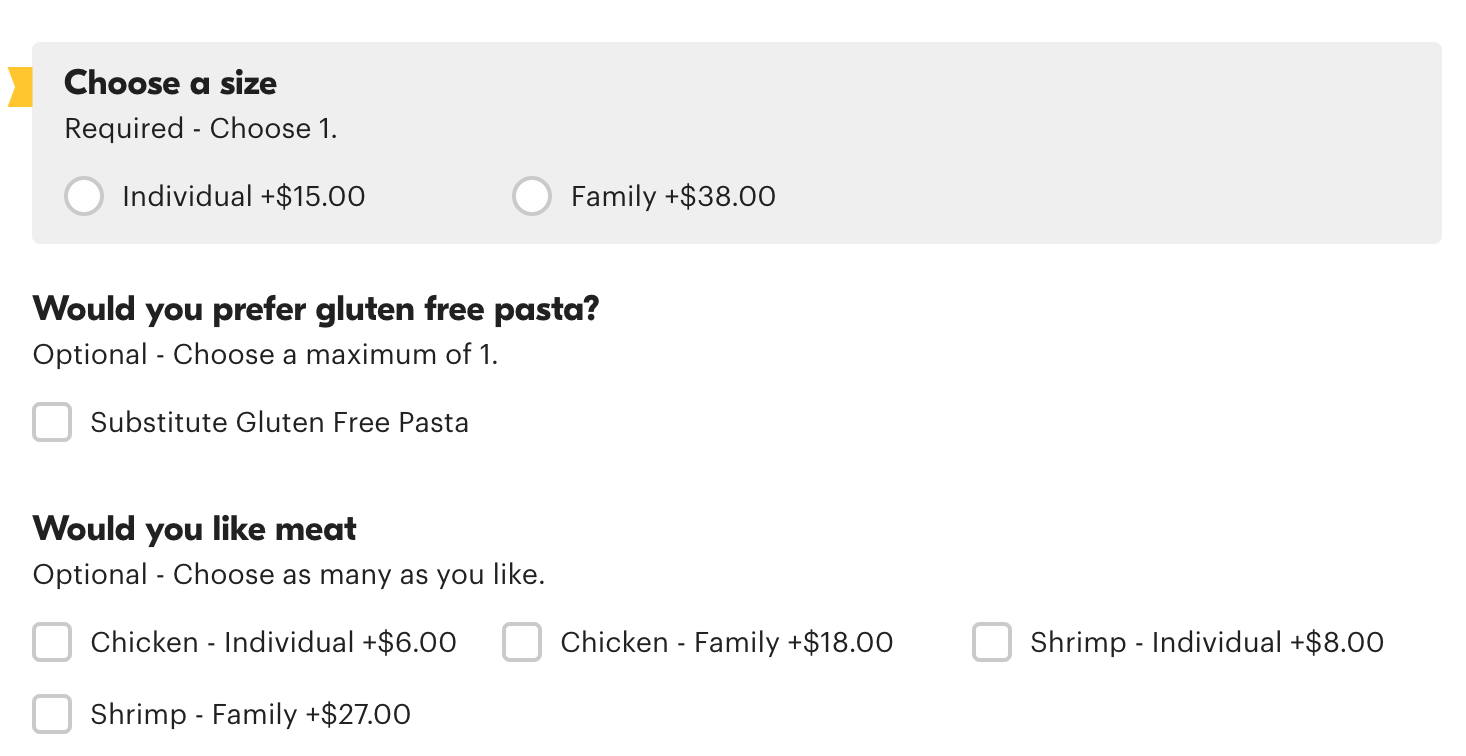
For example, here’s the choices for a pasta dish.
"choice_category_list": [
  {
      "id": "3087767",
      "name": "Choose a size",
      "min_choice_options": 1,
      "max_choice_options": 1,
      "choice_option_list": [
          {
              "id": "13034354",
              "description": "Individual",
              "price": {
                  "amount": 1595,
                  "currency": "USD"
              },
              "choice_category_list": [],
              "price_changes": {},
              "sequence": 1
          },
          {
              "id": "13034355",
              "description": "Family",
              "price": {
                  "amount": 3495,
                  "currency": "USD"
              },
              "choice_category_list": [],
              "price_changes": {},
              "sequence": 2
          }
      ],
      "variation_target": true,
      "sequence": 0
  },
  {
      "id": "3087762",
      "name": "Would you prefer whole wheat pasta?",
      "min_choice_options": 0,
      "max_choice_options": 1,
      "choice_option_list": [
          {
              "id": "13034345",
              "description": "Substitute Whole Wheat Penne",
              "price": {
                  "amount": 100,
                  "currency": "USD"
              },
              "choice_category_list": [],
              "price_changes": {},
              "sequence": 1
          },
          {
              "id": "17076125",
              "description": "Substitute Whole Wheat Spaghetti",
              "price": {
                  "amount": 100,
                  "currency": "USD"
              },
              "choice_category_list": [],
              "price_changes": {},
              "sequence": 2
          },
          {
              "id": "17076414",
              "description": "Substitute Gluten Free Spaghetti",
              "price": {
                  "amount": 200,
                  "currency": "USD"
              },
              "choice_category_list": [],
              "price_changes": {},
              "sequence": 3
          },
          {
              "id": "17076415",
              "description": "Substitute Gluten Free Penne",
              "price": {
                  "amount": 200,
                  "currency": "USD"
              },
              "choice_category_list": [],
              "price_changes": {},
              "sequence": 4
          }
      ],
      "variation_target": false,
      "sequence": 12
  },
  {
      "id": "4460029",
      "name": "Would you like meat?",
      "min_choice_options": 0,
      "choice_option_list": [
          {
              "id": "17051362",
              "description": "Chicken",
              "price": {
                  "amount": 0,
                  "currency": "USD"
              },
              "choice_category_list": [],
              "price_changes": {
                  "13034354": {
                      "amount": 500,
                      "currency": "USD"
                  },
                  "13034355": {
                      "amount": 1000,
                      "currency": "USD"
                  }
              },
              "sequence": 1
          },
          {
              "id": "17051363",
              "description": "Shrimp",
              "price": {
                  "amount": 0,
                  "currency": "USD"
              },
              "choice_category_list": [],
              "price_changes": {
                  "13034354": {
                      "amount": 700,
                      "currency": "USD"
                  },
                  "13034355": {
                      "amount": 1200,
                      "currency": "USD"
                  }
              },
              "sequence": 2
          }
      ],
      "variation_target": false,
      "item_variation_id": 3087767,
      "sequence": 20
  }
]
The selection a user makes in the “Choose a size” option affects the price of the “Would you like meat?” choice. You’ll need to indicate these price changes clearly to your diners. However, when it comes time to calculate the bill, the cart object stores the final price of a menu item after all choice variations in the diner_total field within the lines object (for the cart total) and in each object in the line item array (for individual menu item lines).
Special Instructions?
With these more structured options, we give every diner the chance to give special instructions on both individual items they add to their cart, as well as on the entire order. These are optional to complete, though the diner must be given the option to input this information.

The special instructions field is just a standard String. We allow the user to enter their text into a text box as to preserve line breaks.
With these five pieces of information, you can design an ordering interface that gathers everything that the Grubhub API needs to add a menu item to a cart.